
Автор: avtor

AI now answers user queries before they click. Learn how SEO is evolving in the AI era and how businesses can stay visible in search in 2026.
Introduction: When Search Answers Before You Click
For years, SEO followed a familiar formula: keywords, rankings, traffic, clicks.
But as we enter 2026, this model is rapidly changing.
Today, users increasingly get answers without ever visiting a website.
Google AI Overviews, ChatGPT, Perplexity, and Bing Copilot summarize information instantly — often pulling content from multiple sources and presenting it as a final response.
So the question businesses are now asking is no longer:
“How do we rank first on Google?”
It’s becoming:
“How do we stay visible when AI answers first?”
This is the new reality of SEO in the AI era — and it’s reshaping how brands, content, and trust work online.
How AI Has Changed Search Behavior
Search is no longer a list of blue links.
It’s becoming conversational, predictive, and intent-driven.
From clicks to answers
AI-powered search tools aim to solve the user’s problem immediately. That means:
- fewer clicks,
- more zero-click searches,
- and more reliance on AI-curated summaries.
Users ask longer, more natural questions like:
- “What’s the best SEO strategy for a SaaS company in 2026?”
- “How does AI choose which websites to trust?”
AI systems interpret intent, not just keywords.
From Keywords to Meaning
Traditional SEO focused on keyword density and exact-match phrases.
In the AI era, meaning beats mechanics.
What matters now:
- topic depth,
- semantic relevance,
- and how clearly your content answers real questions.
Instead of ranking one article for one keyword, AI prefers:
- comprehensive explanations,
- structured content,
- and consistent topical authority.
👉 This is why content clusters outperform isolated blog posts.
🧭 [INTERNAL LINK: HKDevotion content strategy or digital marketing services]
SEO for AI Systems, Not Just Google
This is one of the biggest mindset shifts businesses must make.
You’re no longer optimizing only for search engines —
you’re optimizing for AI readers.
How AI “reads” your website
AI systems favor content that is:
- clearly structured,
- logically written,
- easy to summarize,
- and supported by context.
They love:
- headings,
- bullet points,
- definitions,
- FAQs,
- comparisons,
- step-by-step explanations.
Messy, vague, or overly promotional content gets ignored.
Why AI Chooses Some Websites and Ignores Others
AI doesn’t randomly pick sources.
It evaluates:
- clarity,
- consistency,
- expertise,
- and trust signals.
Websites that win in AI-generated answers usually:
- explain why, not just what,
- show real-world experience,
- and demonstrate authority over time.
This brings us to one of the most critical concepts in modern SEO.
EEAT Is No Longer Optional
Google’s EEAT framework — Experience, Expertise, Authoritativeness, Trust — is now central to AI visibility.
What EEAT means in practice:
- Experience: real examples, case studies, firsthand insights
- Expertise: depth, not surface-level summaries
- Authority: brand presence, mentions, citations
- Trust: transparency, accuracy, credibility
AI systems heavily favor content that looks human, expert, and reliable.
Anonymous, generic articles struggle — no matter how well they’re keyword-optimized.
Technical SEO Still Matters — But Differently
SEO isn’t dead.
It’s just shifted its role.
Technical SEO now acts as the foundation, not the main growth lever.
What still matters:
- page speed,
- mobile optimization,
- clean HTML,
- Core Web Vitals,
- structured data.
Without this foundation, AI may not even process your content correctly.
🔗 [EXTERNAL LINK: Google Search Central – AI Overviews & SEO]
Content That Works in the AI Era
AI-friendly content is not robotic — it’s clear and intentional.
Formats that perform best:
- direct answers to specific questions,
- “how it works” explanations,
- comparisons and pros/cons,
- FAQs,
- expert insights.
Ironically, human-written content is now more valuable than ever.
AI prefers content that:
- sounds natural,
- explains nuance,
- and reflects real understanding.
SEO Visibility vs Traffic: A New KPI
In the AI era, success isn’t only about clicks.
New metrics matter:
- brand mentions in AI responses,
- inclusion as a trusted source,
- visibility across AI tools,
- recognition as an authority.
Being quoted by AI can be more valuable than being clicked.
This is where SEO becomes brand strategy, not just marketing.
What Businesses Must Do in 2026
If you want to stay visible, relevant, and competitive, here’s what matters now.
1. Build topical authority
Cover subjects deeply, not broadly.
2. Invest in expert content
Surface-level SEO content is fading fast.
3. Optimize for AI readability
Structure, clarity, and intent matter more than tricks.
4. Update existing content
Old articles should be refreshed for AI-era standards.
5. Think beyond Google
AI visibility spans multiple platforms.
🧭 [INTERNAL LINK: HKDevotion SEO, AI visibility, or digital strategy services]
SEO Is Not Dead — It’s Evolving
Every time search changes, SEO gets declared “dead.”
And every time, it evolves instead.
In 2026, SEO is:
- less about manipulation,
- more about meaning,
- less about traffic,
- more about trust.
AI didn’t kill SEO —
it raised the bar.
The brands that adapt early will shape how AI talks about their industry.
The rest will struggle to be seen at all.
Conclusion: Visibility Is the New Ranking
In the AI era, being visible doesn’t always mean being clicked.
It means being trusted enough to be referenced.
SEO is no longer just about search engines.
It’s about how intelligent systems understand, summarize, and recommend your brand.
If your content helps AI understand the world better —
AI will help users discover you.
👉 Learn how HKDevotion helps businesses adapt SEO strategies for the AI era and stay visible when AI answers first.
WordPress powers 43% of the web. Discover why it remains the world’s #1 framework in 2025 — powerful, flexible, and built for everyone.
The Framework That Built the Internet
When you browse the internet today, there’s a nearly one-in-two chance the website you’re visiting is built with WordPress. As of 2025, over 43% of all websites — from small personal blogs to massive enterprise portals — run on this framework.
For two decades, WordPress has shaped the digital landscape. What started in 2003 as a simple blogging tool has evolved into a full-fledged open-source framework, capable of powering complex applications, e-commerce platforms, and global digital ecosystems.
But how has WordPress stayed relevant in an era of rapid technological change, new frameworks, and AI-powered platforms? Why do millions of developers, designers, and business owners still choose it over everything else?
Let’s explore why WordPress remains the world’s #1 framework — and why it might be the perfect foundation for your next digital project.
🧭 Here you can find out which framework is right for your project
The Origins of WordPress: From Blog Engine to Global Platform
In 2003, developers Matt Mullenweg and Mike Little forked an existing blogging tool called b2/cafelog to create something more powerful, flexible, and open. Their idea was simple: a content management system that anyone could install, modify, and grow.
From that small start, WordPress exploded — thanks to three core principles that still define it today:
- Open Source: anyone can view, use, and improve the code.
- Community-Driven: thousands of volunteers build themes, plugins, and translations.
- Freedom and Flexibility: users can control every aspect of their website.
By the mid-2000s, WordPress had transformed from a blogging engine into a full CMS (Content Management System). Themes allowed users to customize design, while plugins added limitless functionality — from SEO optimization to online stores.
🔗 https://wordpress.org/about/
With the release of the REST API and Gutenberg block editor, WordPress entered the modern web era, offering both low-code design flexibility and developer-level control.
Why WordPress Still Dominates in 2025
There’s no shortage of competition. From headless CMSs like Strapi to SaaS platforms like Webflow and Squarespace — yet WordPress continues to dominate the market. Here’s why.
1. Accessibility and Simplicity
Anyone can install WordPress in minutes, no coding degree required. The dashboard is intuitive, the editor visual, and the workflow familiar. Whether you’re publishing your first blog post or launching a full product catalog, WordPress doesn’t get in your way — it empowers you.
2. Flexibility for Any Project
From blogs and portfolios to corporate websites, online courses, and eCommerce stores, WordPress adapts effortlessly. Thanks to plugins and themes, you can create almost anything — without rebuilding from scratch.
3. Scalability and Performance
Some of the world’s largest websites — like BBC America, TechCrunch, and Sony Music — use WordPress. Its modular architecture, caching systems, and cloud compatibility make it suitable for high-traffic environments.
🔗 https://wordpress.org/showcase/
4. SEO-Friendly by Design
Search engine optimization is built into the structure of WordPress. Clean code, customizable permalinks, meta management, and plugins like Yoast SEO or Rank Math make it a top performer in organic search.
5. Community and Ecosystem
With over 60,000 plugins and 10,000+ themes, WordPress offers the largest open web ecosystem on the planet. Its community — developers, designers, and marketers — is a global powerhouse of knowledge and innovation.
6. Security and Maintenance
WordPress core is continually updated, with patches and improvements released regularly. Combined with managed hosting and security plugins like Wordfence, it provides enterprise-level protection.
WordPress as a Business Power Tool
Beyond blogs and small websites, WordPress is a serious business platform. Its flexibility, low cost, and rich integration capabilities make it the top choice for startups, SMBs, and global enterprises alike.
Cost-Effective Development
WordPress is open source — you only pay for hosting, optional themes, and plugins. Compared to proprietary CMS platforms, it’s a fraction of the cost to build and maintain.
Fast Deployment
For startups, time-to-market is critical. With pre-built templates, visual editors like Elementor, and automation tools, launching a website can take days instead of weeks.
Integration Power
WordPress integrates with everything: CRMs, payment gateways, analytics platforms, and marketing automation tools. That means seamless workflows for your team and a better experience for your customers.
🧭 link to HKDevotion’s business solutions page
WooCommerce: eCommerce at Scale
WooCommerce — the official WordPress eCommerce plugin — powers more than 25% of all online stores worldwide. It supports everything from small boutique shops to enterprise-level marketplaces.
Beyond Blogging: WordPress as a Framework
The term “framework” may surprise some, but modern WordPress is far more than a CMS — it’s a development platform.
Headless WordPress
Developers can now use WordPress as a headless CMS, connecting it to React, Next.js, or Vue front-ends via REST or GraphQL APIs. This hybrid setup combines the flexibility of WordPress with the performance of modern JavaScript frameworks.
🔗 https://developer.wordpress.org/rest-api/
Custom Post Types and Plugins
WordPress allows developers to create structured data models, extending far beyond “posts and pages.” Custom post types, taxonomies, and fields turn WordPress into a true application framework.
The REST API Revolution
The REST API opened the door to WordPress as a backend engine for mobile apps, PWAs, and SaaS dashboards. Companies now use it as the “content brain” behind entire ecosystems.
🧭 link to HKDevotion’s app development services
WordPress for Developers
Its plugin architecture mirrors modern frameworks like Laravel — hooks, filters, and actions give developers fine-grained control. Combine that with tools like ACF Pro or custom Gutenberg blocks, and WordPress becomes an infinitely extensible platform.
The Modern WordPress Experience
If you used WordPress years ago, you might remember a clunky interface. That’s ancient history. The modern WordPress experience is sleek, visual, and performance-optimized.
Gutenberg and Block Editing
The Gutenberg block editor introduced modular, visual page creation. You can design rich layouts without writing code — yet still maintain full developer control behind the scenes.
🔗 https://wordpress.org/gutenberg/
No-Code and Low-Code Movement
With visual tools like Elementor, Bricks, or Divi, WordPress empowers non-developers to build professional websites. For businesses, that means faster iterations and reduced dependency on external agencies.
Managed Hosting and Performance
Modern managed hosting (like Kinsta, WP Engine, or SiteGround) automates updates, caching, and security, ensuring that WordPress sites stay fast and secure.
Mobile and Accessibility
WordPress themes are now fully responsive and compliant with accessibility standards (WCAG 2.1). That means every visitor — on any device — gets a seamless experience.
Why WordPress Is the Best Choice for You
If you’re still deciding which platform to use — here’s why WordPress is likely your best bet.
For Startups
Speed and cost efficiency. Launch a professional website or MVP fast, iterate easily, and scale later without switching tech stacks.
For Small Businesses
User-friendly dashboard, simple content management, and endless plugin options for marketing, analytics, and automation.
For Agencies and Freelancers
Customizable, extendable, and ideal for managing multiple client projects through multisite setups.
For Developers
A sandbox of opportunity: APIs, custom themes, and hooks make it a joy to build complex, modern applications.
For Content Creators and Marketers
The best CMS for SEO, content scheduling, and audience engagement — all in one.
The Framework for Everyone
WordPress isn’t just surviving — it’s thriving. It’s evolved from a humble blogging platform into a global digital foundation that powers nearly half the internet. Its combination of accessibility, flexibility, and open-source collaboration has made it timeless.
No matter who you are — a developer, designer, entrepreneur, or storyteller — WordPress gives you the freedom to build, grow, and own your digital presence.
And in 2025, as new frameworks rise and fade, WordPress continues to prove one thing:
The future belongs to open platforms built by people, for people.
Ready to bring your project to life with the world’s #1 framework?
👉 Learn how HKDehttps://hkdevotion.com/contacts/votion’s WordPress experts can help you design, build, and scale your next big idea.
And please note! You are currently on the WordPress website 😉

AI vs Developers — Will AI replace coders or empower them? Explore how vibe coding is redefining programming and AI-assisted development.
The rise of artificial intelligence has sparked one of the hottest debates in tech — AI vs Developers.
Will AI replace software engineers or empower them to reach new levels of creativity through vibe coding?
Some believe that coding jobs will vanish as machines learn to write flawless code. Others argue that AI is not a threat but a powerful ally, one that helps developers work faster and more creatively.
In this article, we’ll dive into the tension between AI and developers, explore how AI tools are transforming programming, and introduce the exciting concept of vibe coding — a new way to collaborate with AI in software development.
A Short History: From Compilers to AI Co-Pilots
To understand where we’re headed, it helps to look back.
- 1950s–1970s: Programming was manual and labor-intensive. Developers wrote code in assembly or early high-level languages, carefully crafting every instruction.
- 1980s–1990s: IDEs (Integrated Development Environments) and debugging tools began to simplify workflows. Autocomplete became a staple.
- 2000s: Open-source libraries and frameworks accelerated development. Instead of reinventing the wheel, programmers leaned on community-driven codebases.
- 2010s: Cloud computing and DevOps automation shifted the focus from manual deployments to streamlined pipelines.
- 2020s: The AI revolution. Tools like GitHub Copilot, ChatGPT, Tabnine, and Replit Ghostwriter are no longer just “helpers” — they’re collaborators, capable of writing full functions, generating tests, and even explaining complex code snippets.
Each leap in tooling didn’t kill programming — it changed it. Developers didn’t vanish when compilers automated assembly code, or when frameworks automated common patterns. Instead, they evolved. And AI is just the next step in that journey.
AI vs. Developers: Competition or Collaboration?
The fear that AI might “steal jobs” is understandable. AI-powered coding assistants can already:
- Generate code from natural language prompts.
- Suggest bug fixes and optimizations.
- Translate code between programming languages.
- Write documentation automatically.
That sounds threatening, right? But here’s the catch: coding isn’t just typing. It’s about solving problems, designing systems, and aligning software with business goals.
What AI struggles with today:
- Contextual understanding: AI doesn’t know why a feature exists or how it fits into a business strategy.
- Architectural decisions: Designing scalable, secure, and maintainable systems requires deep human judgment.
- Ethics & responsibility: AI doesn’t carry accountability for errors, biases, or security vulnerabilities.
- Creativity: While AI can remix patterns, it doesn’t originate bold new ideas.
Developers are not being replaced — they’re being elevated. The role of the coder is shifting from code generator to code orchestrator.
AI as a Productivity Booster for Programmers
Rather than a threat, AI should be seen as a force multiplier. Studies back this up:
- According to GitHub’s 2023 research, 92% of developers using AI coding tools said they felt more productive.
- A Stack Overflow Developer Survey found that developers using AI assistants saved an average of 30% of their coding time.
- Replit Ghostwriter reported that its tool cut prototyping time by up to 50% for MVPs.
How AI improves development:
- 🔹 Faster prototyping: An idea that once took a week to prototype now takes hours.
- 🔹 Error reduction: AI catches syntax issues and suggests fixes in real time.
- 🔹 Learning aid: Beginners can ask AI to explain snippets line by line.
- 🔹 Documentation: Auto-generated comments and API docs reduce tedious manual work.
- 🔹 Code reviews: AI can highlight potential performance or security issues.
Instead of replacing developers, AI helps them do more with less — freeing up time for design, creativity, and problem-solving.
This aligns with our HKDevotion digital solutions approach, where technology enhances productivity rather than threatens it.
Real-World Examples of AI in Development
Let’s look at how companies and developers are already using AI tools:
- GitHub Copilot: Used by over 1 million developers, Copilot has become a second pair of hands, writing boilerplate code and suggesting solutions.
- ChatGPT for coding: Developers use it not just to generate snippets, but to brainstorm approaches, debug issues, and create test cases.
- Tabnine: Focuses on privacy-first AI coding, helping enterprises keep code secure while boosting developer productivity.
- Replit Ghostwriter: Popular with startups and indie developers, it allows small teams to prototype entire apps with minimal overhead.
This is especially relevant for startups, where HKDevotion’s tailored AI solutions help businesses move from idea to execution faster.
In each case, AI doesn’t replace the human — it augments them.
Vibe Coding: A New Way to Write Software
Perhaps the most exciting development is the rise of vibe coding.
So what is vibe coding? It’s coding in a flow state, where human creativity and AI collaboration merge seamlessly. Instead of writing every line manually, developers “jam” with AI tools, describing concepts in natural language, iterating on ideas, and refining code in real time.
Characteristics of vibe coding:
- 🎶 Collaborative: Like a jazz improv session, where the developer sets the theme and AI riffs on it.
- ⚡ Fast-paced: Perfect for hackathons, MVPs, or rapid prototyping.
- 🌱 Exploratory: Encourages experimentation — developers can try wild ideas without worrying about wasted effort.
- 🤝 Conversational: The interface shifts from rigid syntax to natural dialogue with AI.
Vibe coding represents a cultural shift: programming becomes less about “fighting with syntax” and more about expressing ideas.
The Future of Developers in the Age of AI
The critical question isn’t “Will developers survive AI?” but rather “Which developers will thrive?”
Skills that will matter most:
- System thinking: Understanding architecture, not just syntax.
- Problem translation: Turning messy business needs into technical solutions.
- Prompt engineering: Knowing how to ask the right questions and guide AI effectively.
- Creativity & adaptability: Staying open to new workflows like vibe coding.
- Ethics & governance: Navigating bias, security, and accountability in AI-generated code.
In essence, tomorrow’s developers will be conductors of AI-assisted orchestras, not just solo performers.
Predictions: The Next 5–10 Years
Looking ahead, here’s where the industry is likely headed:
- Hybrid teams: Companies will blend human developers with AI coding assistants as the norm.
- New job titles: Expect roles like AI coding strategist, prompt architect, and AI ethics engineer.
- Lower entry barriers: More people will “code” without formal training, using natural language and vibe coding tools.
- Increased specialization: Human developers will focus more on system design, security, and business logic.
- Global democratization: AI will make coding more accessible worldwide, empowering startups and communities without large engineering teams.
AI is not here to eliminate programming — it’s here to transform it.
From Copilot to Ghostwriter, AI tools are boosting developer productivity, reducing errors, and opening the door to entirely new ways of working.
Most exciting of all is the rise of vibe coding, where developers and AI collaborate in a flow state, blending creativity with machine precision.
The future belongs not to those who fear AI, but to those who embrace it.
Developers who learn to code with AI — orchestrating, directing, and innovating — won’t just survive the AI revolution.
They’ll lead it.
👉 Learn how HKDevotion’s AI-driven services can help your business thrive in this new era.

Career switch to IT after 30 or 40? You’re not late. Learn why age isn’t a barrier and how mature professionals succeed in tech.
Age Is Just a (Command) Line
When we think of someone entering the IT world, we often imagine a 22-year-old coding prodigy raised on YouTube tutorials and caffeine.
But in 2025, the tech industry looks different.
In recent years, the career switch to IT has become a common and empowering choice for professionals in their 30s, 40s, and beyond. These aren’t side hustlers — they’re full-time developers, analysts, designers, and digital product builders. And they’re thriving.
This article explores how entering tech later in life can be a strength — not a setback — and how the tools, roles, and mindset shifts of 2025 make it more accessible than ever.
👥 Who’s Switching to IT — and Why?
Career switchers come from everywhere:
👩🏫 Teachers
🧮 Accountants
📋 Office managers
🛠 Engineers
🎭 Actors
👨🍳 Chefs
Their reasons?
- 📈 Career growth
- 💡 More meaningful work
- 🔁 Flexibility and remote options
- 💻 Tools that make learning accessible
- 🤖 A desire to build, not just maintain
Related read: How to Choose the Right Framework for Your Project
❓ Is It Harder to Start a Career in IT After 30 or 40?
Yes — and no.
Challenges:
- Competing with younger applicants for junior roles
- Balancing learning with life and work
- Navigating imposter syndrome
- Learning fast-paced digital tools
But here’s the advantage:
- Life experience = soft skills
- Cross-functional thinking
- Confidence and maturity
- Business literacy
And all of that is essential in modern tech teams.
🔥 Why Maturity Is a Strength in Tech
Let’s reframe the question:
Who do startups and scaleups actually need?
They need:
- Communicators
- Planners
- Systems thinkers
- People who can take ownership and deliver value
Not just coders. Not just “young talent.”
People who understand how to ship products and solve real problems.
🚀 Best Roles in Tech for Career Switchers
Here are some common roles for those making a career switch to IT:
| Role | Why It Fits |
|---|---|
| QA Testing | Process-driven, no degree required |
| Business Analyst | Ideal for ex-HR, logistics, ops |
| Frontend Developer | Tangible output, fast results |
| Product Manager | For communicators & strategists |
| UX/UI Designer | Empathy + logic + visual skills |
| Low-Code Dev | Great for logical thinkers |
| Prompt Engineer | AI-focused, text-based, in-demand |
💬 Case Study: Switching to Tech at 42
Meet Andy, a former project manager in construction.
He wanted to bring order to chaos in his company’s task management. No tech background. Zero code.
With HKDevotion, he learned how to use Retool, Zapier, and Airtable.
In 3 months, he built:
- A live dashboard
- Budget and material trackers
- Task boards for 12+ teams
He’s now leading internal automation. Not because he’s technical — but because he’s strategic. And that’s what tech needs.
🧰 Tools That Make It Easier in 2025
These platforms make your career switch to IT smoother and faster:
| Platform | Why Use It |
|---|---|
| OutSystems | Low-code, enterprise ready |
| Bubble | No-code, full-stack web apps |
| Mendix | Modular, team collaboration |
| Retool | Internal tools, ops dashboards |
| Zapier | Logic-first automation |
| Notion AI | Text+AI productivity |
External source:
Best Low-Code Platforms in 2025 – TechRepublic
✅ 7 Tips for Adults Entering Tech
- Focus your learning on 1 track, not 10
- Build small, real projects early
- Use low-code to get momentum
- Don’t be afraid of junior roles — you’ll grow fast
- Network in your age group — you’re not alone
- Lean on your past — it’s an asset
- Be consistent — 1 hour a day beats 8 hours once a week
💬 Final Thoughts: The Best Time to Start Was Yesterday. The Second Best? Today.
Whether you’re 32 or 52, your age doesn’t disqualify you.
In fact, it probably means you bring more value, clarity, and purpose into the work you do.
The tech world needs thinkers, builders, and problem solvers — not just coders.
And most of all, it needs diversity of experience.
If you’re ready to build something that matters, the career switch to IT could be the best move of your life.
✉️ From HKDevotion:
«We’ve worked with career switchers from 25 to 55 — and helped them build dashboards, AI tools, and internal apps from scratch.
Not one of them was ‘too late.’ They were just ready.»
📬 Contact us: contact@hkdevotion.com
🌐 More articles: hkdevotion.com/news
Low-code development enables fast, scalable, and high-quality apps. Learn why speed doesn’t mean sacrifice and discover the top platforms in 2025.
🧠 Time to Kill the “Low-Code = Low-Quality” Myth
Say «low-code development» in the wrong room and someone will raise an eyebrow. “Isn’t that for prototypes? Quick MVPs? Hacky tools for startups?”
Not anymore.
Low-code in 2025 is robust, scalable, and used by some of the most serious players in every industry — from fintech to healthcare. It’s no longer a workaround. It’s a strategy.
In this article, we’ll break down why low-code doesn’t equal low quality, which platforms lead the game, and how to make smart tech decisions that serve both speed and sustainability.
📈 Why Low-Code Is on the Rise
According to Gartner, by 2026 over 75% of new applications will be built using low-code tools. Why?
- 🚀 Speed: Delivery time shrinks by up to 90%.
- 💰 Cost-efficiency: Development costs fall by 50–70%.
- 💼 Talent access: More people can contribute, not just engineers.
- 🔁 Agility: Apps can be tested and iterated faster than ever.
And it’s not just theory. Companies like Amazon, BMW, and Siemens already use low-code frameworks to scale internal tools and customer-facing products.
🛠️ Low-Code in the Real World: What’s Being Built?
Think beyond contact forms and chat widgets.
| Use Case | Examples |
|---|---|
| Internal Dashboards | HR systems, Finance portals, KPIs |
| Automation Workflows | Inventory updates, lead pipelines |
| Customer Portals | Booking systems, document upload flows |
| CRM Extensions | Email triggers, client segmentation |
| Mobile Apps | Event apps, feedback tools |
| AI-powered Assistants | Internal chatbots, custom GPT wrappers |
⚖️ Low-Code ≠ Low Control
Modern platforms offer full governance, access management, version control, and testing environments. Many allow custom code injection, API connections, and even AI integrations.
So, you’re not boxed in — you’re simply building faster.
❌ 3 Myths We Need to Drop
1. “Low-code apps aren’t scalable”
✔️ Platforms like OutSystems and Mendix power enterprise apps for millions of users.
2. “It’s only for junior devs or non-techies”
✔️ Modern dev teams use low-code to focus engineering time on complex logic while automating repeatable UI/backend flows.
3. “Security is compromised”
✔️ Enterprise low-code platforms follow SOC 2, HIPAA, ISO/IEC 27001 standards — with logs, roles, and SSO.
🌐 Top Low-Code Platforms in 2025: Who’s Leading the Game?
| Platform | Best For | Pros | Website |
|---|---|---|---|
| OutSystems | Enterprise-level apps & integrations | High performance, strong governance | outsystems.com |
| Mendix | Scalable multi-user enterprise solutions | Excellent collaboration tools, reusable modules | mendix.com |
| Retool | Internal tools for startups & developers | Developer-friendly, great UI for data dashboards | retool.com |
| Bubble | MVPs and full-stack web apps | Fully visual, no backend coding | bubble.io |
| Appgyver | Mobile apps for non-technical creators | Drag-and-drop interface, responsive designs | appgyver.com |
| Zoho Creator | Business apps and CRM automation | Cost-effective, part of Zoho ecosystem | zoho.com/creator |
🚀 How to Use Low-Code Without Sacrificing Quality
✅ Mix with Custom Code
Use low-code for scaffolding; insert custom modules for edge cases.
✅ Set Standards
Even visual logic needs documentation, reviews, and testing.
✅ Train Your Team
Low-code doesn’t mean no skill. Empower citizen devs, but align with pro devs.
✅ Start Small, Scale Smart
Build internal tools or MVPs first, then scale with the same codebase.
🔗 Internal Resources from HKDevotion
- How to Choose the Right Framework for Your Project
- Want to build smarter? Explore our AI assistant integration services!
«Low-code is not a shortcut — it’s a strategy. When paired with discipline, design thinking, and the right tools, it delivers products your users will love. At HKDevotion, we help you balance speed and stability to grow wisely.»
💌 Contact us: contact@hkdevotion.com
📚 More insights: hkdevotion.com/blog
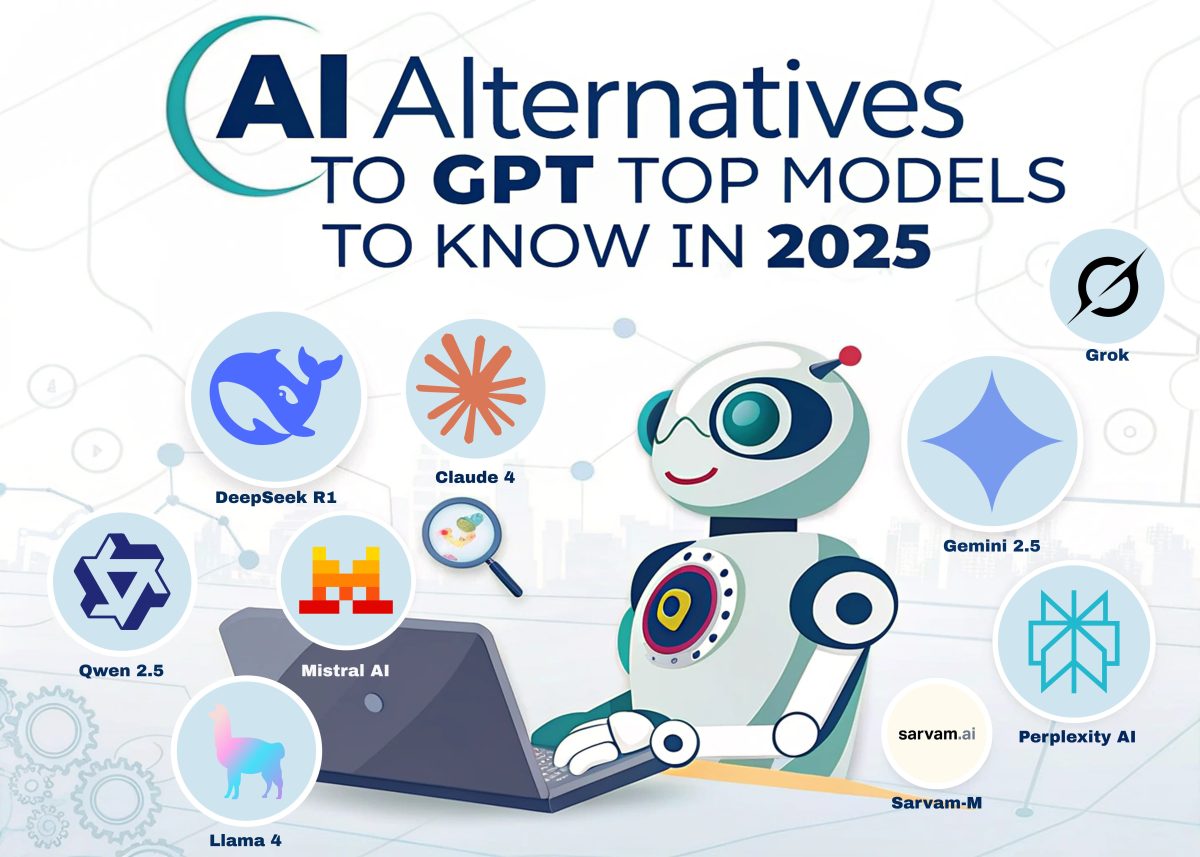
Looking for powerful AI alternatives to GPT? Discover the best models of 2025, their pros, cons, and how to choose the right one for your needs.
A Smarter AI Era or Just Another Buzzword Parade?
AI has officially taken over our newsfeeds, workspaces, and even dating apps (hello, AI love coaches!). With GPT models dominating much of the conversation, you might wonder—is there life beyond OpenAI?
Absolutely.
While GPT (especially the latest iterations like GPT-4o) is a marvel of engineering, it’s not the only intelligent entity in town. The AI ecosystem in 2025 is a crowded party, and GPT is just one of many interesting guests. Some are smarter in specific contexts, while others are more cost-effective, more ethical, or simply better suited to your unique business needs.
In this article, we’ll walk through ten of the most popular and promising AI alternatives to GPT. From open-source rebels to deeply integrated corporate giants, each one offers a different flavor of intelligence, along with its own quirks and caveats.
And don’t worry—we’ll skip the jargon and keep things clear, practical, and (just a little bit) cheeky.
Let’s begin!
Claude 4 by Anthropic: The Philosopher AI with a Technical Edge
If GPT is the charismatic generalist of the AI world, then Claude 4 is the quiet genius who prefers depth over flash. Developed by Anthropic—a company founded by former OpenAI researchers—Claude has quickly built a reputation for clarity, precision, and ethical alignment.
Why People Love It
Claude 4 (particularly the Opus model) is a powerhouse when it comes to structured tasks, such as coding, logical analysis, and legal or academic writing. It’s especially beloved for its “Thinking Out Loud” features: explainable reasoning, extended context handling, and the ability to summarize its own thought process.
In a world of black-box algorithms, Claude offers a refreshing dose of transparency.
Pros
✅ Outstanding in reasoning-heavy domains
✅ Handles long-form text with nuance
✅ Built with safety and ethical guardrails in mind
✅ Feels more “thoughtful” in complex prompts
Cons
❌ The Premium model (Opus) can be pricey
❌ Not as strong in freeform creativity as GPT
❌ Limited plugins and third-party ecosystem
Best For
- Legal tech
- Scientific research
- Enterprises looking for explainable AI
- Long-form document generation
Anthropic’s official Claude 4 announcement
If you’re wondering how to integrate such AI into your workflow, check out our post:
How to Choose the Right Framework for Your Project
Gemini 2.5 by Google DeepMind: Multimodal Intelligence With a Silicon Soul
Picture this: an AI that doesn’t just read text but sees your images, hears your voice, and understands the context of your Google Docs. That’s Gemini 2.5 in action—Google’s answer to GPT, and arguably one of its most holistic alternatives.
Born from the minds at DeepMind and integrated tightly into Google’s ecosystem, Gemini doesn’t just compete—it collaborates. Whether you’re drafting emails in Gmail, analyzing data in Sheets, or creating visuals in Workspace, Gemini can follow along and enhance your workflow in real-time.
Why People Love It
Gemini 2.5’s edge lies in its deep integration with tools many teams already use daily. Additionally, features like “Deep Think” (which tackles complex tasks by layering cognitive steps) make it feel like working with an AI-powered analyst rather than a chatbot.
Pros
✅ Seamless integration with Google Workspace
✅ Multimodal: understands text, images, and audio
✅ «Deep Think» for in-depth reasoning
✅ Great for enterprise environments
Cons
❌ Some features are locked behind paywalls
❌ Less customizable for developers
❌ Tends to lean toward generalist responses
Best For
- Teams already using Google tools
- Knowledge workers and virtual assistants
- Product research and design teams
- Internal enterprise automation
Gemini 2.5 Launch Highlights – DeepMind Blog
DeepSeek R1: The Open-Source Underdog That Packs a Punch
While Western AI labs dominate headlines, China’s DeepSeek quietly launched a model that developers can’t stop talking about. DeepSeek R1 is fast, lean, and—perhaps most impressively—free to use on platforms like Hugging Face.
It may not have the media splash of GPT or Gemini, but don’t let the lack of marketing fool you—this model is serious business, especially in programming-heavy workflows.
Why People Love It
DeepSeek R1 shines in code generation, mathematical reasoning, and other technically structured tasks. And because it’s open-source, businesses can integrate it into proprietary systems without fear of licensing nightmares.
For startups and developers looking for performance without the price tag, it’s a hidden gem.
Pros
✅ High accuracy in code-related tasks
✅ Open-source and free to use
✅ Lightweight for fast inference
✅ Transparent, developer-friendly architecture
Cons
❌ Limited documentation in English
❌ Restriction on political queries
❌ Lower brand recognition in the West
Best For
- Tech-savvy startups
- Developers seeking local AI deployment
- Educational platforms
- Custom AI product builders
Explore DeepSeek on Hugging Face
Need help integrating AI into your app or SaaS project? We’ve helped dozens of companies build smart, scalable tools—contact us today and let’s talk.
Perplexity AI: The AI That Knows How to Google (Better Than You)
If GPT is the professor, and Claude is the philosopher, then Perplexity AI is the savvy librarian with Wi-Fi that never drops. This AI is not trying to be everything—it just wants to give you fast, factual, and well-sourced answers, all in real-time.
Blending conversational AI with a search engine interface, Perplexity pulls current data from the web and presents it alongside direct citations. It’s the perfect tool for those who are tired of AI hallucinations and need quick, trustworthy responses—now.
Why People Love It
Perplexity doesn’t pretend it knows everything. Instead, it cites its sources, updates results constantly, and allows you to switch between different AI models—including GPT-4o, Claude 3.5 Sonnet, and others—within the same interface.
It also includes a neat «Pages» feature that lets you generate visually appealing summaries and reports from your prompts.
Pros
✅ Pulls live data from the internet
✅ Shows source links for transparency
✅ Offers model switching (GPT, Claude, etc.)
✅ “Pages” for document-style outputs
Cons
❌ Lacks deep creative writing capabilities
❌ Limited plugin/integration options
❌ Some features are gated behind Pro subscription
Best For
- Researchers and students
- Marketers needing quick content/data
- Professionals fact-checking info
- SEO specialists and content creators
Perplexity AI – Official Website
🔗 Internal Insight from HKDevotion:
We often recommend Perplexity to our clients as a research companion during early-stage planning or when drafting user-facing documentation. Smart tools build smarter teams.
Mistral AI: The French Powerhouse for Developers Who Love Control
Tired of waiting on Silicon Valley? Say bonjour to Mistral AI, the open-source darling out of France that’s making waves among developers and AI purists alike.
Mistral stands out not just for its performance but for its transparency and modularity. With models like Mistral 7B and Mixtral 8x7B, it’s an excellent choice for companies that want the benefits of LLMs without surrendering all their data to Big Tech.
Why People Love It
In a world of walled gardens and closed APIs, Mistral offers a breath of fresh, decentralized air. It performs well in coding, reasoning, and summarization tasks, and it runs surprisingly fast—especially on local machines or private servers.
For tech teams who need flexibility, auditability, and data sovereignty, this one’s a winner.
Pros
✅ Fully open-source and free to deploy
✅ Runs efficiently on local hardware
✅ Strong on code and analytical tasks
✅ Modular design for custom use cases
Cons
❌ No native UI or SaaS interface
❌ Requires technical setup
❌ Less known outside the dev community
Best For
- Developers & DevOps teams
- Privacy-conscious organizations
- Academic labs and research institutions
- Startups building custom AI tools
Mistral AI – GitHub
TechCrunch Coverage on Mistral
🔗 Internal Connection from HKDevotion:
Looking to integrate open-source AI into your infrastructure? We help teams deploy tools like Mistral for speed, privacy, and scalability—reach out to us for a consultation.
Qwen 2.5 by Alibaba: The Polyglot AI With Global Ambition
While much of the AI buzz focuses on English-centric tools, Qwen 2.5 emerges from left field with something few others offer: genuine multilingual performance and open accessibility. Built by Alibaba’s DAMO Academy, this model is fast becoming a favorite among developers and businesses operating in diverse linguistic markets.
Whether you’re working in Hindi, Spanish, or Arabic, Qwen delivers a level of nuance that rivals the best global large language models (LLMs).
Why People Love It
Qwen is open-source, highly extensible, and supports over 29 languages, making it ideal for projects that target audiences beyond English-speaking ones. Developers especially love its compact model options, which allow you to scale down without losing functionality.
In recent benchmarks, Qwen 2.5 outperformed GPT-4o in select language tasks—a serious flex for a model with open code.
Pros
✅ Strong multilingual support (29+ languages)
✅ Open-source, flexible for enterprise use
✅ Competitive with GPT on key benchmarks
✅ Well-documented APIs and dev tools
Cons
❌ Limited awareness in Western markets
❌ Fewer ready-made SaaS integrations
❌ Some interfaces primarily in Chinese
Best For
- Multilingual apps and content platforms
- AI research in emerging markets
- Government and educational projects
- Developers seeking an international-ready foundation
Qwen 2.5 on Hugging Face
Alibaba DAMO Academy Blog
🔗 Internal HKDevotion Tip:
If you’re building for a global audience or multilingual platform, choosing the right model makes or breaks UX. At HKDevotion, we specialize in integrating models like Qwen into scalable international systems. Let’s discuss your project.
Llama 4 by Meta AI: The Social AI That Knows You Too Well
Meta has a knack for knowing what (and who) you’re interested in — and with Llama 4, it’s using that insight to power some of the most conversational, responsive AI experiences across Facebook, Instagram, and WhatsApp.
Unlike its competitors who focus on research or enterprise, Meta’s approach is hyper-personal. Llama 4 is trained on massive conversational datasets and deeply integrated with social interactions, allowing it to generate human-like dialogue that feels eerily familiar.
Why People Love It
Llama 4 is incredibly lightweight and modular, making it ideal for chat interfaces and mobile experiences. Developers can deploy it freely thanks to its open-source license, while Meta uses it to craft customized personas (like AI influencers or brand assistants) within its apps.
It might not beat Claude in a logic test, but it will win your heart with memes and casual flair.
Pros
✅ Seamless integration into social platforms
✅ Designed for high-speed, natural conversation
✅ Free to use under a permissive license
✅ Great for building AI chatbots and assistants
Cons
❌ Not built for deep analytical tasks
❌ Less transparent about training data
❌ Currently lacks dedicated enterprise tools
Best For
- Chatbots and social AI agents
- Creative writing and storytelling
- User engagement on platforms
- Lightweight mobile deployments
Meta AI’s Llama 4 Announcement
🔗 HKDevotion Insight:
Considering integrating AI into customer service or social engagement workflows? Llama 4 can be a game-changer. We’ve helped brands humanize their bots by utilizing intelligent language models. Contact us to learn more.
Sarvam-M by AI4Bharat: The Niche Hero With a Heart
While Silicon Valley races to build the next sentient AI poet, Sarvam-M quietly focuses on a different mission: empowering underserved communities. Created by AI4Bharat, an open-source research initiative based in India, Sarvam-M is designed specifically to support local languages, education, and public service systems.
It may not generate haikus or debate metaphysics, but when it comes to real-world impact in real-life contexts, Sarvam punches well above its weight.
Why People Love It
Sarvam-M supports 10+ Indian languages and is trained on public data to serve as a bridge between complex systems and people with limited digital access. Whether it’s helping rural teachers translate academic content or supporting healthcare chatbots in Tamil, Sarvam is all about purpose-driven AI.
And it’s fully open-source, meaning developers worldwide can adapt it to regional or humanitarian use cases without restrictions.
Pros
✅ Purpose-built for social good and accessibility
✅ Excellent performance in low-resource languages
✅ Transparent, ethical, and open to the public
✅ Lightweight and easy to deploy locally
Cons
❌ Not optimized for high-end creative generation
❌ Limited support for non-Indian languages
❌ Not yet integrated into mainstream platforms
Best For
- NGOs and social tech startups
- Government education and healthcare initiatives
- Multilingual chatbot applications
- Ethical AI projects in underserved regions
🔗 HKDevotion Note:
We believe that ethical innovation begins at the grassroots level. If you’re working on a product that serves real people, in real communities, Sarvam might be your secret weapon. Need help implementing it into your ecosystem? Let’s talk.
Grok by xAI: The Rebel Bot Born on the Platform Formerly Known as Twitter
When Elon Musk announces anything, the internet listens — and Grok, the flagship AI from his xAI initiative, is no exception. Tightly integrated into X (formerly Twitter), Grok is part chatbot, part commentary engine, and part tech experiment with a personality.
If other AIs are your polite digital assistants, Grok is your cheeky friend who answers questions with a smirk—and sometimes, a meme.
Why People Love It
Grok stands out with its irreverent tone, real-time X integration, and a focus on free speech and open dialogue. Designed to go places other chatbots won’t, Grok aims to be “spicy,” as Musk puts it. It’s still maturing, but it already powers AI responses to posts, trending content analysis, and dynamic user engagement.
And yes, it’s capable of writing code, drafting tweets, and pulling data from live platforms to generate responses contextualized in real-time.
Pros
✅ Integrated with X platform for social media interactions
✅ More personality and humor than most models
✅ Trained on fresh, constantly evolving content
✅ Capable of generating tweets, summaries, and reactions
Cons
❌ Only available to Premium+ X subscribers
❌ Bias concerns due to limited data transparency
❌ Not as polished in long-form reasoning or deep analysis
Best For
- Social media managers
- Influencers and meme makers
- Users looking for “fun” AI
- Quick, witty, real-time reactions
🔗 External Source:
xAI – Meet Grok
🔗 HKDevotion Note:
We believe every project deserves the right AI — serious or playful. If your brand thrives on interaction, humor, or pushing the edge, Grok might just be the voice you need. Message us to explore social-driven AI integration.
There’s No One AI to Rule Them All — and That’s a Good Thing
The world of artificial intelligence is no longer a one-horse race. From Claude’s calm logic to Gemini’s deep Google roots, from Grok’s mischief to Sarvam’s mission-driven heart, the landscape in 2025 is diverse, dynamic, and increasingly human.
So, what’s the “best” AI model?
The real question is: best for what?
Choosing the right AI depends on your goals, your users, your ethics, and your infrastructure. Whether you’re launching a product, scaling an internal system, or simply trying to write a newsletter faster, there’s a model out there with the right shape, speed, and soul for your task.
The era of monolithic AI is over. Welcome to the age of choice.
✅ Quick Decision Checklist: Which AI Is Right for You?
| Use Case | Recommended AI |
| Long-form writing & logic | Claude 4 |
| Multimodal workplace integration | Gemini 2.5 |
| High-speed coding & open-source | DeepSeek R1 |
| Search-integrated, up-to-date facts | Perplexity AI |
| Private, fast, customizable deployment | Mistral AI |
| Multilingual, flexible systems | Qwen 2.5 |
| Social media engagement & chatbots | Llama 4 |
| Ethical, localized development | Sarvam-M |
| Real-time platform reactions | Grok |
📬 Final Word from Our CEO:
“In a world overflowing with tools, it’s easy to get distracted by the shiniest new AI. However, at HKDevotion, we believe in selecting technology that genuinely serves your purpose, not just following trends. Whether you’re curious, cautious, or completely overwhelmed, let’s talk. We’ll help you make the smartest, most human-centered tech choices possible.”
💌 Reach us at: contact@hkdevotion.com
🔗 Read more at: hkdevotion.com/news

Why do developers trick clients and cut corners? Discover the hidden truth and how to avoid bad IT decisions!
The Silent IT War
Let’s be honest—there’s an unspoken battle happening in the tech world. On one side, excited clients with big dreams and (sometimes) unrealistic expectations. On the other, developers who sigh deeply, shake their heads, and say:
💻 “That’s way more complicated than you think.”
💰 “This will take at least three months and double your budget.”
🙄 “Sure, we could do it properly, but… do you really need that?”
At this point, the client has two choices:
1️⃣ Trust the developers and pay up.
2️⃣ Ask questions, push back, and risk being labeled “that annoying client who doesn’t understand IT.”
But let’s get real: Is it really that complicated, or is this just a convenient excuse?
Why Do Developers Trick Clients by Overcomplicating Things?
Here’s the paradox: Developers are brilliant and lazy at the same time. They automate their work to avoid repetitive tasks, yet somehow, every request turns into an epic saga of impossible complexity.
🔹 The «Shiny Object» Syndrome
- A client wants a simple, clean solution.
- The dev team, however, insists on using the newest, coolest framework.
- Six months later, the project is behind schedule because they spent more time learning the tool than building the product.
🔹 The “It’s Too Hard” Excuse
- A client requests a small feature update.
- Developers respond with, “Oh, that could break the whole system!”
- Reality? It’s a one-day fix.
🔹 The “Just Trust Us” Trap
- Non-technical clients are easy to manipulate.
- Developers overprice simple tasks, claiming they are highly complex.
- Clients either pay up or get ghosted.
🔹 The Minimum Viable Effort Mindset
- If developers won’t be around in six months, why put in extra effort today?
- Future bugs? Someone else’s problem.
Why Do Developers Keep Cutting Corners?
🚨 Example 1: The “Too Simple” Backend
A startup hires developers to build a scalable e-commerce platform. Instead of creating a strong backend, the devs patch together a cheap, quick-fix solution.
🛑 Result:
- Orders start disappearing.
- Payments fail randomly.
- The system crashes on Black Friday.
- The devs? Already working for another company.
🚨 Example 2: “This Feature is Too Complex”
A SaaS company requests advanced analytics for its dashboard. The dev team says, “That’s too complicated, let’s just add basic tracking.”
🛑 Result:
- Six months later, competitors launch AI-powered insights.
- The company falls behind.
- They now have to rebuild everything from scratch.
🚨 Example 3: “Nobody Will Notice” Security Issues
A fintech startup requests strong encryption for customer data. The devs choose an outdated, weak method because “who’s going to hack this anyway?”
🛑 Result:
- Hackers breach the system.
- Customer data leaks.
- The company gets sued into oblivion.
🔗 Want to avoid this? Learn how to choose the right framework for your project: How to Choose the Right Framework for Your Project
How to Spot Bad Development Practices
❌ Vague explanations – “That’s just how it is.” (No, it’s not.)
❌ Overcomplicating simple tasks – “This tiny feature will take months.” (Really?)
❌ Rushing MVPs with no future plan – “We’ll fix it later.” (They won’t.)
❌ No clear breakdown of costs – “Trust us, it’s expensive.” (Why?)
How to Avoid Being Tricked?
If you’re a client:
✔ Ask questions. If something seems overpriced or “too complex,” dig deeper.
✔ Think long-term. If a dev suggests a shortcut, ask about future risks.
✔ Work with teams that care. If an agency only talks about speed and cost but not quality, run.
If you’re a developer:
🔥 Build for the future. Your reputation is built on what you leave behind.
🔥 Educate your clients. A well-informed client is an ally, not an enemy.
🔥 Advocate for quality. Don’t just build what’s fast—build what’s right.
The True Cost of Bad Development
The biggest irony? Cutting corners always comes back to bite you.
💥 Technical debt grows.
💰 Fixing rushed work is always more expensive than doing it right the first time.
🛑 Companies lose users, clients, and credibility when systems fail.
🔗 Want proof? Read McKinsey’s research on IT project failures
🔗 Or check out Gartner’s analysis on why IT projects fail:
https://www.gartner.com/en/newsroom/press-releases/2024/why-it-projects-fail
Final Thought: The Best Developers Build for the Future
Tech desperately needs more developers who care—about the product, the business, and the users. Because at the end of the day, real professionals don’t just write code.
They build solutions that last. 🚀
📩 Need a team that actually cares? Contact us at contact@hkdevotion.com
Discover the key differences between a Project Manager and a Scrum Master, and learn which role is best suited for your project.
In today’s fast-paced business environment, project success depends heavily on the right leadership. Two key roles often discussed in project management are the Project Manager (PM) and the Scrum Master (SM). But what do these roles actually entail, and how do you determine which one fits your project best?
Both roles contribute to project success but serve different purposes and work within different frameworks. Whether your project requires structured planning or an Agile approach, understanding the responsibilities, similarities, and differences between a Project Manager and a Scrum Master will help you make an informed decision.
What is a Project Manager?
A Project Manager (PM) is responsible for planning, executing, and delivering a project within the defined scope, timeline, and budget. This role is prevalent in traditional project management methodologies like Waterfall or PMBOK (Project Management Body of Knowledge).
🔗 Learn more about traditional project management methodologies from the Project Management Institute (PMI)
Key Responsibilities of a Project Manager:
- 📋 Planning and Scheduling: Develops detailed project plans, timelines, and resource allocation.
- 💰 Budget Management: Ensures the project stays within financial constraints.
- 📞 Communication: Acts as the primary point of contact between stakeholders and the project team.
- ⚠️ Risk Management: Identifies potential risks and develops mitigation plans.
- 🛠 Quality Control: Ensures that deliverables meet project standards and client expectations.
- 🎯 Goal Setting: Aligns project goals with the company’s strategic objectives.
Example Project Where a PM is Needed:
A multinational corporation launching a new product in multiple regions requires a PM to coordinate marketing, supply chain logistics, and regulatory approvals across different markets.
What is a Scrum Master?
A Scrum Master (SM) is a facilitator and servant leader who helps Agile teams follow the Scrum framework effectively. Unlike the Project Manager, the Scrum Master focuses on empowering the team to self-organize and continuously improve their processes.
🔗 Learn more about the Scrum framework and best practices from Scrum.org
Key Responsibilities of a Scrum Master:
- 🔄 Facilitating Scrum Events: Ensures that daily stand-ups, sprint planning, and retrospectives are conducted effectively.
- 🛡 Removing Roadblocks: Helps the team overcome obstacles to maintain workflow.
- 📚 Coaching Agile Principles: Guides the team in adopting Agile practices and mindset.
- 📊 Promoting Collaboration: Encourages open communication within the team.
- 🚀 Continuous Improvement: Drives efficiency and adaptability through iterative processes.
Example Project Where an SM is Needed:
A software startup developing a new mobile application benefits from having an SM to facilitate sprint planning and ensure team alignment with Agile principles.
Agile vs. Waterfall Methodologies: Choosing the Right Fit
| Aspect | Agile (Scrum Master) | Waterfall (Project Manager) |
|---|---|---|
| Approach | Iterative & Flexible | Sequential & Structured |
| Project Phases | Multiple, short sprints | Defined, fixed phases |
| Flexibility | High | Low |
| Stakeholder Involvement | Continuous | Limited |
| Risk Management | Ongoing adjustments | Upfront planning |
🔗 For a deeper understanding of Agile vs. Waterfall methodologies, check out the insights from Harvard Business Review
Common Tools Used by Project Managers and Scrum Masters
- For Project Managers:
- Microsoft Project
- Trello
- Monday.com
- For Scrum Masters:
- Jira
- Confluence
- Miro
🔗 Discover how tools like Jira support Agile project management at Atlassian
When Both Roles are Needed Together
In some cases, both a Project Manager and a Scrum Master can work together to ensure project success. For example:
- In hybrid environments where Agile teams coexist with traditional business processes.
- Large-scale enterprise projects that require both structured planning and Agile execution.
- Digital transformation initiatives that involve multiple departments with different workflows.
🔗 Read McKinsey’s analysis on Agile transformation in enterprises
Choosing between a Project Manager and a Scrum Master depends on the nature of your project, your team dynamics, and your preferred approach to project execution.
💡 Want to determine the best approach for your business?
Contact us at contact@hkdevotion.com, and let’s discuss how we can help you achieve project success.

Explore the benefits and risks of Artificial Intelligence implementation. Gain insights on leveraging AI responsibly for success.
Artificial Intelligence (AI) is transforming how businesses operate, offering unparalleled advantages but also introducing significant risks. This article explores how organizations can harness AI to improve efficiency, decision-making, and customer experiences while mitigating potential challenges such as ethical dilemmas, cybersecurity threats, and job displacement.
If you’re considering implementing AI in your business, this guide will help you navigate its complexities and unlock its true potential.
The Advantages of Artificial Intelligence
1. Enhanced Efficiency and Productivity
AI automates repetitive tasks, allowing employees to focus on high-value activities. For example, robotic process automation (RPA) can process thousands of transactions in minutes, significantly reducing operational costs.
Case Study:
- Industry: E-commerce
- Outcome: An online retailer reduced order-processing time by 50% using AI-driven automation.
2. Improved Decision-Making
By analyzing large datasets in real-time, AI helps businesses make informed decisions. Predictive analytics in retail, for example, allows companies to forecast demand and manage inventory effectively.
Data Insight:
- Companies using AI analytics report a 30% improvement in decision-making accuracy (Gartner, 2024).
3. Personalized Customer Experiences
AI-powered tools like chatbots and recommendation engines improve customer satisfaction. For instance, Netflix uses AI to suggest content tailored to each user’s preferences, boosting engagement rates.
Stat:
- Businesses implementing personalized AI solutions experience a 20% increase in customer retention (Forrester, 2023).
The Risks Associated with Artificial Intelligence
1. Data Privacy and Security Concerns
AI relies on vast amounts of data, making systems vulnerable to breaches. Recent incidents highlight how improperly secured AI applications can lead to massive data leaks.
Best Practice:
- Use encryption and regular audits to secure sensitive data.
- Partner with trusted cloud service providers like AWS or Google Cloud.
2. Ethical Dilemmas and Bias
AI algorithms can reflect and amplify biases present in their training data. This has led to unfair hiring practices and discriminatory lending policies.
Solution:
- Regularly audit AI systems for biases and ensure diverse datasets during training.
3. Job Displacement
While AI creates new opportunities, automation often replaces manual labor. For instance, manufacturing jobs have declined in favor of AI-operated machines.
Stat:
- An estimated 15% of global jobs could be automated by 2030 (McKinsey, 2025).
Balancing AI’s Benefits and Risks
1. Ethical AI Frameworks
Implementing guidelines for transparency and accountability ensures responsible AI use.
Example:
- Google has adopted an AI ethics board to review projects before deployment.
2. Robust Security Measures
Invest in cybersecurity tools like AI-driven threat detection systems to safeguard your AI platforms.
3. Continuous Monitoring and Compliance
Stay updated with international AI regulations, such as the EU AI Act, to avoid legal pitfalls.
Artificial Intelligence is a double-edged sword, offering transformative benefits alongside potential risks. By adopting ethical practices, investing in security, and staying compliant with regulations, businesses can leverage AI responsibly.
If you’re ready to explore how AI can revolutionize your operations, contact us at contact@hkdevotion.com. Let us guide you through this exciting journey.
Every successful innovation starts with a well-thought-out plan. Let’s work together to ensure your AI journey is not only groundbreaking but also secure and ethical.

Managing IT projects can be a challenging endeavor. With complex technical requirements, tight deadlines, and a need for clear communication between teams, businesses often require a skilled professional to oversee it all. That’s where an IT project manager comes in. In this article, we’ll explore what these professionals do, their responsibilities, and why hiring one can be a game-changer for your business.
What Does an IT Project Manager Do?
He is responsible for planning, organizing, and overseeing the development of IT projects. Their primary goal is to ensure projects are completed on time, within budget, and aligned with the company’s objectives.
Key Responsibilities of an IT Project Manager:
- Defining project goals: Collaborating with stakeholders to establish clear objectives.
- Creating detailed project plans: Building schedules, timelines, and resource allocations.
- Coordinating teams: Facilitating communication between developers, designers, and other departments.
- Tracking progress: Monitoring project milestones and addressing delays.
- Risk management: Identifying potential challenges and mitigating them proactively.
By handling these tasks, such manager becomes the backbone of any successful technical initiative.
Why is an IT Project Manager Essential?
Hiring an IT project manager is not just about delegation – it’s about maximizing efficiency and ensuring success. Here’s why your business needs one:
1. Streamlined Communication
IT project managers act as liaisons between technical teams and stakeholders, ensuring everyone is on the same page. This reduces misunderstandings and enhances productivity.
2. Better Resource Management
With proper planning and allocation, project managers ensure resources like time, budget, and personnel are used effectively.
3. On-Time Delivery
A skilled project manager keeps projects on schedule, helping businesses avoid costly delays.
4. Risk Reduction
By proactively identifying risks, project managers can implement solutions before problems arise, saving time and money.
5. Quality Assurance
Ensuring that the final product meets expectations is a core responsibility of an IT project manager.
Common Challenges IT Project Managers Face
Managing IT projects isn’t without its difficulties. Here are a few challenges and how project managers address them:
- Adapting to Evolving Technologies: Staying up-to-date with the latest tools and trends is crucial.
- Choosing the Right Methodology: Selecting between Agile, Scrum, or Waterfall methodologies depends on the project’s requirements. Explore methodologies here.
- Managing Remote Teams: Ensuring productivity and communication in distributed teams.
- Cybersecurity Risks: Safeguarding sensitive data and mitigating potential breaches.
How to Choose the Right IT Project Manager for Your Business
Finding the right IT project manager involves looking for a mix of technical knowledge and leadership skills. Here are some tips:
- Certifications: Look for qualifications like PMP (Project Management Professional) of Project Management Institute (PMI) or Scrum Master certification.
- Experience: Assess their track record in handling projects of similar scale and complexity.
- Technical Expertise: Ensure they are familiar with tools like Jira, Trello, or Microsoft Project.
- Soft Skills: Communication, problem-solving, and adaptability are critical traits.
The ROI of Hiring an IT Project Manager
Investing in an IT project manager pays off in multiple ways:
- Higher team efficiency: Teams operate more effectively under structured guidance.
- Fewer delays: Projects are completed on time, reducing unnecessary expenses.
- Improved product quality: Deliverables meet or exceed expectations.
By hiring a competent IT project manager, you ensure that your business stays ahead in an increasingly competitive market.
An IT project manager is an essential part of any business undertaking complex technical projects. From streamlining communication to delivering high-quality results on time, they play a critical role in your company’s success.
Are you ready to transform your IT projects? Contact us today and let’s make it happen.